Technology
How the Internet Actually Works: A Simple Guide for Everyone
Ever wondered what happens behind the scenes when you open a website, send a message, or search for something online? This beginner-friendly guide explains how the internet works, from your device and Wi-Fi to servers, DNS, and data travelling across the world.

· 8 min read
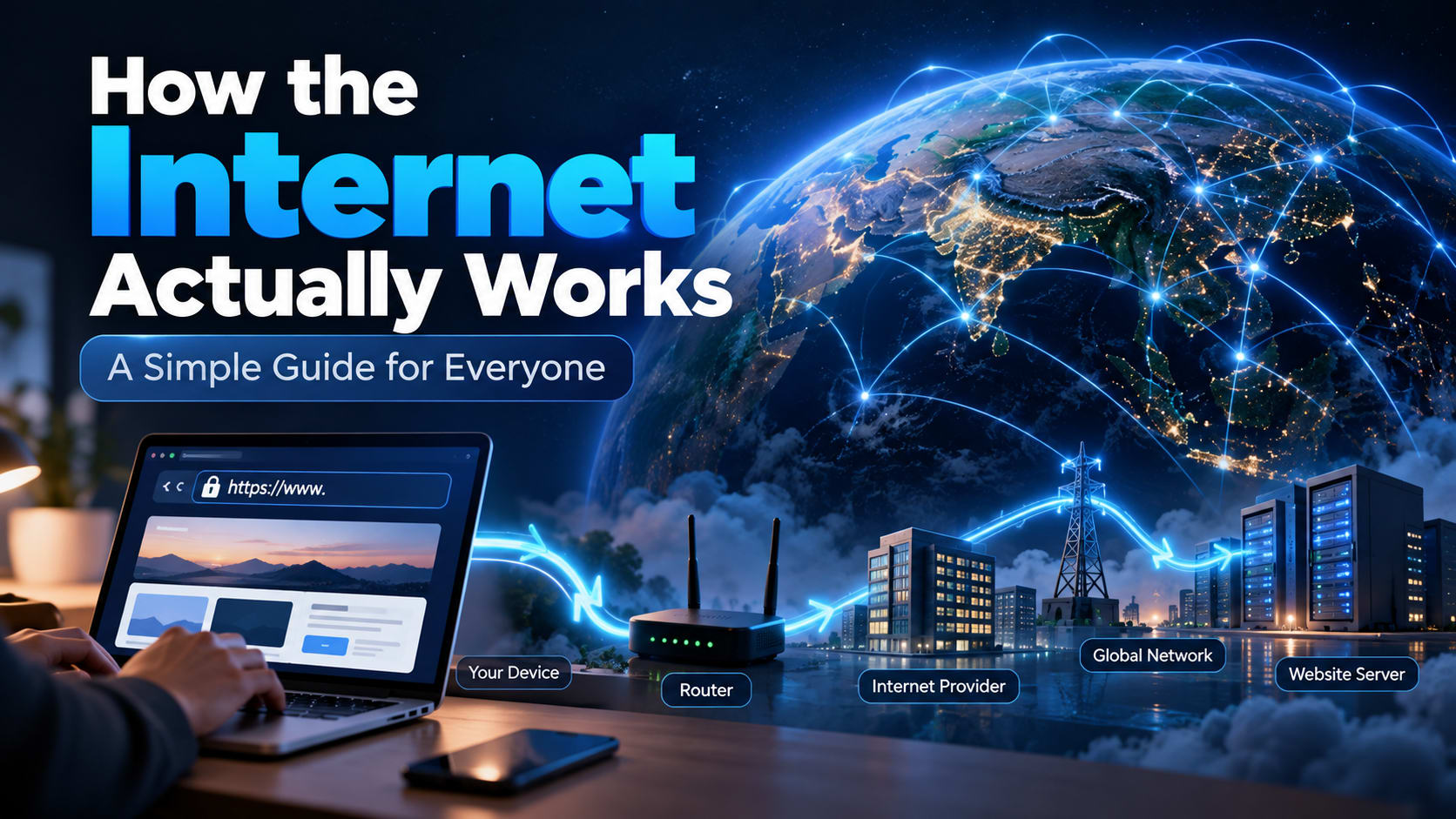
How the Internet Actually Works: A Simple Guide for Everyone
Every time you open a website, send a message, watch a video, or search for something online, a surprisingly complex system is working behind the scenes.
We often think of the internet as something invisible that simply “connects” our devices. In reality, the internet is a massive network of computers, servers, cables, routers, data centers, and communication systems working together to move information from one place to another.
So what actually happens when you type a website address into your browser?
Let's break it down.
What Is the Internet?
The internet is a global network of connected devices.
Computers, smartphones, servers, smart TVs, cameras, and many other devices can communicate with each other through this network.
There isn't one single machine called “the internet.” Instead, millions of separate networks are connected together.
Your home network might connect your phone and laptop to a router. Your internet provider connects that network to larger networks. Those networks connect to other networks around the world.
This is why the internet is often described as a “network of networks.”
What Happens When You Open a Website?
Imagine you type:
example.com
into your browser and press Enter.
It looks simple, but several things happen almost immediately.
1. Your browser needs to find the website
Your browser first needs to figure out where example.com is located.
Computers don't normally communicate using names such as example.com. They use IP addresses, such as:
93.184.216.34
An IP address is like a network address that helps identify where a particular device or server can be reached.
But remembering IP addresses for every website would be terrible for humans.
That's where DNS comes in.
What Is DNS?
DNS stands for Domain Name System.
You can think of DNS as the internet's address book.
When you enter a domain name, your device asks a DNS system something like:
“Which IP address belongs to this website?”
The DNS system finds the appropriate IP address and gives it back to your device.
Your browser can then use that address to communicate with the website's server.
This happens so quickly that you usually don't notice it.
What Is a Server?
A server is simply a computer designed to provide data or services to other computers.
When you visit a website, you're usually communicating with a server that stores or generates the information needed to display that website.
For example, a website's servers might handle:
Web pages
Images
Videos
User accounts
Database information
Search requests
Uploaded files
Large websites may use many servers across multiple locations rather than relying on a single machine.
How Does the Data Travel?
Once your device knows where to connect, it sends a request toward the server.
But your request usually doesn't travel directly from your phone to the server in one giant jump.
Instead, information travels through multiple pieces of network infrastructure.
Your request might move through:
Your device → Wi-Fi/router → Internet provider → Other networks → Server
The exact route can vary depending on the destination and current network conditions.
Along the way, routers help decide where packets of data should go next.
What Are Data Packets?
Information sent across the internet is broken into smaller pieces called packets.
Imagine you want to send someone a large book.
Instead of sending the entire book as one enormous object, you could divide it into many smaller packages, label them, send them through the delivery network, and have them put back together at the destination.
Internet communication works somewhat like this.
A large piece of information can be divided into packets. These packets contain information that helps networks deliver them to the right destination.
Once the data reaches the destination, the receiving system can reconstruct the information.
What Does Your Router Do?
Your router acts as a traffic manager for your network.
At home, your phone, laptop, television, and other devices might all connect to the same router.
The router helps direct traffic between your local devices and the wider internet.
For example:
Phone → Router → Internet → Website
When the website sends information back, the router helps deliver that information to the appropriate device.
Where Is the Website Actually Stored?
A website has to exist somewhere.
The files and services behind a website are usually hosted on computers called servers, often located inside large facilities known as data centers.
A data center can contain thousands of servers along with:
Networking equipment
Storage systems
Backup systems
Cooling infrastructure
Power systems
Security systems
Large online services may operate data centers in multiple regions around the world.
This helps them handle huge numbers of users and can reduce the distance data needs to travel.
What Is HTTPS?
You've probably noticed that many websites begin with:
https://
The S in HTTPS stands for Secure.
HTTPS uses encryption to protect communication between your browser and a website.
Without encryption, sensitive information travelling across a network could potentially be easier for an attacker to read.
HTTPS helps protect things such as:
Login credentials
Personal information
Payment details
Messages
Other data exchanged with a website
This is one reason you should pay attention to whether a website uses HTTPS, especially when entering sensitive information.
How Does a Web Page Appear on Your Screen?
After your browser communicates with the server, the server sends back the information needed to build the page.
A website commonly uses technologies such as:
HTML — provides the structure of a page
CSS — controls appearance and layout
JavaScript — adds behaviour and interactivity
Your browser processes these resources and turns them into the page you see.
So when you look at a website, you're actually looking at the result of your browser processing information received from servers.
What About Images and Videos?
Images, videos, fonts, scripts, and other resources are also files or data that your browser needs to retrieve.
A single webpage may therefore require many separate network requests.
For example, opening one page might require your browser to request:
The HTML document
Several CSS files
JavaScript files
Images
Fonts
Other data from APIs
Your browser handles these requests automatically.
Why Does Internet Speed Vary?
You may have noticed that the same internet connection can sometimes feel fast and sometimes slow.
Several factors can affect performance.
Your connection
Wi-Fi signal strength, network congestion, and your connection type can affect how quickly data reaches your device.
Your internet provider
Your Internet Service Provider, or ISP, connects your network to larger networks and the wider internet.
The destination server
The website you're visiting may itself be experiencing heavy traffic or technical problems.
Distance
The physical distance between you and a server can affect latency.
Network congestion
Networks can become busy, especially when many people are using them at the same time.
Internet performance isn't determined by one number alone. Bandwidth, latency, network conditions, server performance, and many other factors all matter.
Is the Internet the Same as the Web?
Not exactly.
The internet is the underlying global network that allows computers and networks to communicate.
The World Wide Web is one service that operates on top of the internet.
Websites and web pages are part of the Web.
Other services also use the internet, including:
Email
Online gaming
Video calls
File transfers
Messaging
Streaming services
So the Web is an important part of the internet, but the two terms aren't interchangeable.
A Simple Example
Let's put everything together.
You open your browser and visit a website.
You enter the website's domain name.
Your device uses DNS to find its IP address.
Your browser establishes a connection with the server.
Your request travels through networks and routers.
The server receives your request.
The server sends back the required data.
Your browser receives the data.
HTML, CSS, JavaScript, images, and other resources are processed.
The browser renders the final page on your screen.
All of this can happen in a fraction of a second.
The Internet Is More Than Wi-Fi
One common misconception is that Wi-Fi and the internet are the same thing.
They're not.
Wi-Fi is a technology that allows devices to connect wirelessly to a local network.
The internet is the much larger global network that those local networks can connect to.
You can have Wi-Fi without internet access. For example, your phone may remain connected to your home router even if your internet connection is temporarily down.
Similarly, devices can access networks using wired connections without Wi-Fi.
Why Understanding the Internet Matters
You don't need to become a network engineer to understand how the internet works.
But having a basic understanding can help you make better decisions online.
It makes concepts such as websites, domains, hosting, cloud computing, cybersecurity, DNS, servers, and online privacy much easier to understand.
More importantly, it reminds us that the internet isn't magic.
It is a huge, carefully designed system built from computers, networks, protocols, infrastructure, and people working together across the world.
Final Thoughts
The next time you open a website, remember what is happening behind that simple screen.
Your device finds a server through DNS, sends requests across multiple networks, receives packets of information, and your browser turns that information into the page you see.
It all happens incredibly quickly.
And that is one of the most remarkable things about the modern internet: a system involving millions of devices and networks around the world can feel almost instantaneous to the person using it.